AutoLog — Car Maintenance
AutoLog: the car maintenance app for iPhone that keeps your whole service history
Your car's digital logbook. No subscription.

The paper service book ends up in the glovebox, the invoices in a drawer, and nobody remembers when the last oil change was. For your car, your motorcycle or any other vehicle, AutoLog keeps it all in one place.
Log each service, fill-up and electric charge, attach the receipt photo, and let the reminders tell you what is due. It is a logbook, not a garage: no account to create, no ads, no tracking.
How it works
- 1
Add your vehicle
A car, a motorcycle or any vehicle. The free version holds 2 vehicles, with unlimited service and energy entries.
- 2
Log services, fill-ups and charges
Record each service, fill-up or charge with its receipt photo, and an optional PDF if you have one. Several service types fit in a single entry, and the unit price is worked out from the total and the quantity.
- 3
Get reminders and see the history
Reminders warn you before the next service, insurance or inspection is due. Your history sits on a visual timeline you can search across all your vehicles.
Features
A complete service history
Every service on a visual timeline, with receipt photos and an optional PDF for each entry. Search across all vehicles, services, fill-ups and notes, and put several service types in one entry.
Fuel, electric and hybrid
Fuel fill-ups, electric charging in kWh (partial charges included), plug-in hybrids and LPG. The unit price is calculated from the total and the quantity.
Reminders that fit your car
Free: maintenance reminders by date. With Pro: smart reminders by date and mileage, whichever comes first, pre-configured for your engine type.
Insurance and inspection tracking
Keep your insurance and inspection dates in the app and get a reminder before they expire.
Statistics and costs (Pro)
Cost breakdown, monthly trends and cost of ownership, plus fuel and energy consumption charts. Pick a calendar year to see its costs from January to December.
A PDF history for resale (Pro)
Export your service history as a PDF, ideal when you sell the car, or as a CSV file. PDF reports always print dark text on a white page, even in dark mode.
Your data stays yours
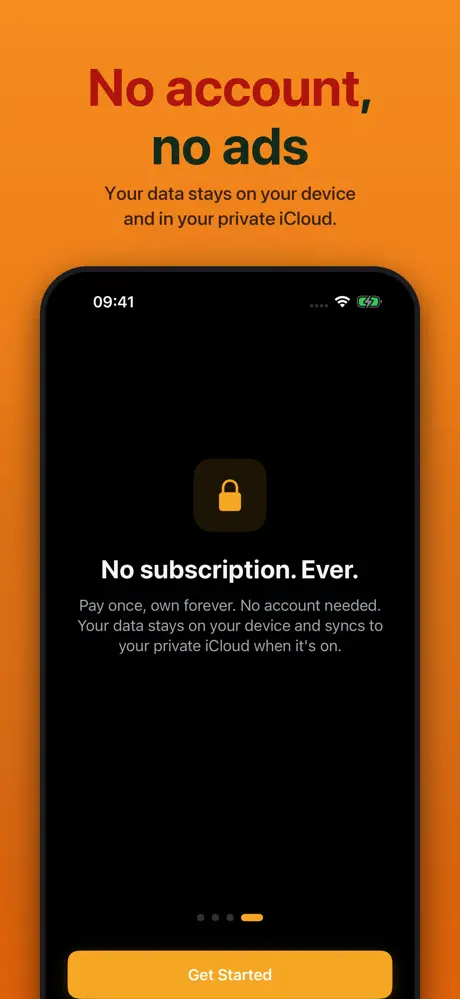
No account, no ads, no tracking. Your data stays on your device, and in your own iCloud only if you turn sync on. A free backup lets you archive, verify and restore everything.
Free or Pro
Free
- 2 vehicles, with unlimited service and energy entries
- Fuel, electric charging in kWh, plug-in hybrids and LPG
- Service history timeline, receipt photos and optional PDF per entry
- Search across all vehicles, services, fill-ups and notes
- Date-based maintenance reminders
- Insurance and inspection tracking with expiry reminders
- Every currency, in your country's number format
- Free backup (archive, verify, restore) and optional iCloud sync
Pro
- Unlimited vehicles
- Smart reminders by date and mileage, whichever comes first, pre-configured for your engine type
- Full statistics: cost breakdown, monthly trends, cost of ownership, by calendar year
- Fuel and energy consumption charts
- PDF service history export, ideal when you sell
- CSV export
- Home Screen widgets
- Face ID / Touch ID lock
AutoLog Pro is a one-time in-app purchase: no subscription. The App Store shows its price in your currency.
Compared with what you use today
- The paper service book
- It is the habit we all know, but it stays in the glovebox, cannot remind you of anything and cannot be searched. AutoLog keeps the same history on your phone, with the receipt photos.
- A spreadsheet or a notes app
- Flexible, but you build the layout yourself, and there are no reminders or cost charts. AutoLog is made for services, fill-ups and charges, and does the maths.
- The garage's own records
- Useful for what was done at that garage, but each one only knows its own work. AutoLog gathers everything, wherever the job was done, in a single history.
Gallery



Frequently Asked Questions
What is the best app to track car maintenance?
Look for one that records services, fill-ups and charges in one place, reminds you before the next one, and exports a clean history when you sell. AutoLog does that on iPhone and iPad, with a free version, no account and no subscription.
Can I keep a digital service book for several cars?
Yes. The free version holds 2 vehicles, with unlimited service and energy entries for each. AutoLog Pro removes the limit with unlimited vehicles. It also works for a motorcycle or any other vehicle.
Does it remind me of the next service, inspection or insurance?
Yes. Free: reminders by date for maintenance, and expiry reminders for your insurance and inspection. With Pro, smart reminders trigger by date and mileage, whichever comes first, and come pre-configured for your engine type.
Can I export the history when I sell the car?
Yes, with AutoLog Pro: you can export your service history as a PDF, which is made for the day you sell. A CSV export is also included in Pro.
Can I track fuel and electric charging?
Yes. AutoLog handles fuel, electric charging in kWh (partial charges included), plug-in hybrids and LPG. The unit price is worked out from the total and the quantity, and Pro adds fuel and energy consumption charts.
Is there a car maintenance app without a subscription?
Yes. AutoLog is free to download, with 2 vehicles and unlimited entries. AutoLog Pro is a one-time in-app purchase with no subscription; the App Store shows the price in your currency.
Where is my data stored? Do I need an account?
No account is needed. Your data stays on your device, and in your own private iCloud only if you turn sync on. There are no ads and no tracking, and a free backup lets you archive, verify and restore all your data.
Which devices and languages does AutoLog support?
iPhone and iPad with iOS 17 or later, in 11 languages: English, French, German, Spanish, Italian, Portuguese, Dutch, Swedish, Polish, Japanese and Traditional Chinese.